Office robots are most useful when a task follows the same steps each time. That puts routine delivery, room checks, document handling, and supply runs ahead of work that needs judgment or a changing plan.
The practical question is not whether a robot can move through an office. It is whether the task has clear rules, safe paths, and a useful result when the robot finishes.
Quick read
- Routine movement is the easiest place to start.
- Cameras, sensors, and software help a robot find people and objects.
- Unplanned changes still need human help.
What office robots can do
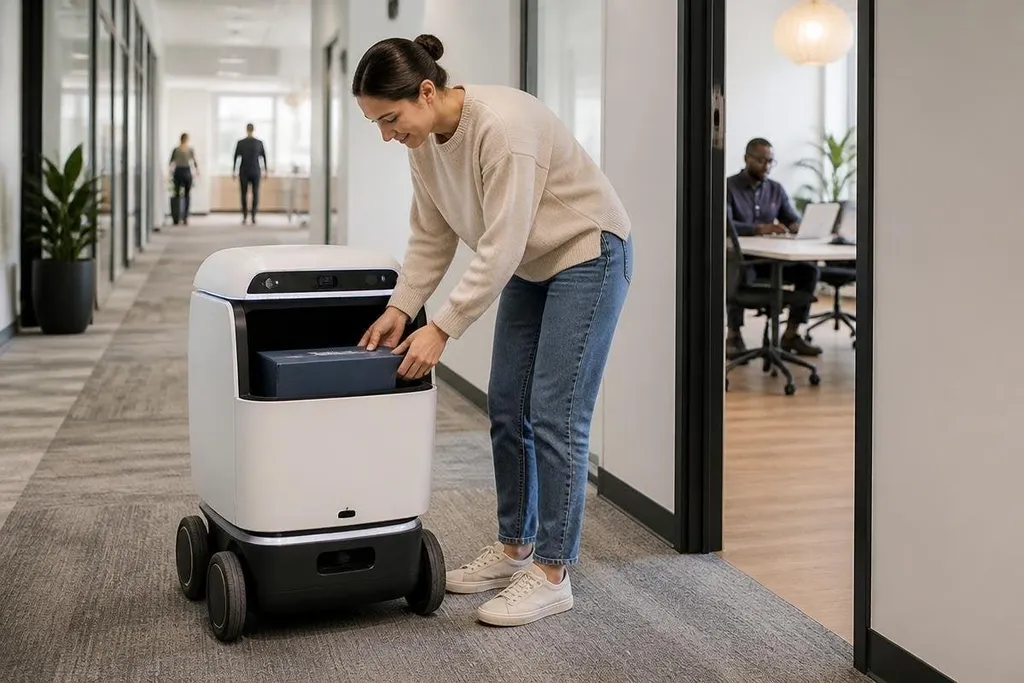
An office robot may carry documents between rooms, move parcels from a reception area, or bring supplies to a meeting room. These jobs use a route, a load, and a delivery point, so the robot can repeat the same process with limited changes.
After delivery, it may also check rooms after use. Its camera and other sensors can look for an open door, an object blocking a walkway, or a meeting room that needs attention.
A person still needs to decide what action to take when the result is unclear.
Cleaning is another possible task. A mobile robot can follow mapped paths across floors, return to a charging point, and pause when a person or object blocks its route. That can reduce routine walking for facilities staff, but it doesn't remove the need for people around stairs, cables, spills, or crowded areas.
These jobs matter because they take time away from office staff without requiring a robot to understand a full workplace. The machine handles a defined movement or check, while people keep control of exceptions.
The machine’s job still needs a clear record of its inputs and handoff. Robot24.com's office robotics coverage can put those details beside the systems behind everyday office automation.
How the task gets automated
Location comes first. A robot needs a map or another way to locate itself.
Many mobile systems use cameras, LiDAR, or other sensors to estimate position and detect objects. The exact setup depends on the building, the floor plan, and the task.
Software then links the robot's route to a work request. A supply run might start when a staff member asks for paper at a service point. Once loaded, it travels to the storage area, carries the load, and reports when it reaches the delivery location.
That process works best when the handoff is clear. A person may need to place the item in a marked tray, scan a code, or open a cabinet. Small gaps in the process can stop the task, so the office needs a way to report faults and ask for help.
Safe behavior around people matters too. It should slow down near doors and crossings, stop when its sensors detect an obstacle, and make its status clear through lights, sound, or a screen. These details affect daily use more than a polished demonstration does.
Where office robots still struggle
Offices change throughout the day. Chairs move, boxes sit in hallways, doors close, and people gather in places that were clear during setup. A route that works in the morning may need help later.
Unclear instructions create another limit. “Take this upstairs” requires a person to decide which object, which floor, and which destination the request means. A robot can follow a defined task, but it can't safely fill in missing details without rules and human review.
Shared spaces also raise privacy and safety concerns. Cameras may see screens, faces, or documents while the robot moves through the building. The office needs rules for stored images, access to sensor data, and areas where recording is not allowed.
I'd start with one low-risk route and one clear handoff, then measure how often staff need to step in. A robot that finishes a smaller task reliably is more useful than one assigned a larger task it cannot handle.
A practical starting checklist
Before buying or testing an office robot, check these points:
- Name the task: Write the start point, destination, load, and expected result.
- Map the route: Check doors, lifts, ramps, narrow spaces, and busy crossings.
- Set the handoff: Decide who loads the robot and how they confirm delivery.
- Plan exceptions: Give staff a clear way to stop the robot and request help.
- Check data rules: Set limits for cameras, stored images, and access records.
- Track useful results: Record completed runs, failed runs, staff time, and pauses.
This checklist turns a broad automation idea into a task that can be tested. It also shows where the building, software, or work process needs changes before a robot enters daily service.
Office robots will first handle work with fixed routes, clear objects, and visible results. The open question is how much unplanned office work they can take on after people, spaces, and requests stop following the script.